Hi, I'm hakairyuousinn (my X account).
This is roughly how I make a browser game. AI writes the code, and my job is to play it and say what feels off.
- Write down what the game is (what it is in one line, what the player decides, the controls)
- Have AI draw one "target image" of the game screen
- Build the game to match that picture
- Play it, take screenshots, and put them next to the target image
- When rebuilding or adding a feature, start from a new picture again
- Copy the built folder onto my own site
I've been drawing the picture first ever since my first game, the digging game Dig It!
Draw one game screen before any code
I have the target image drawn with Codex's image generation. The key line in the request is "an actual in-game screenshot, not a poster." For Dig It!, I listed what goes on the screen one item at a time. 24 tiles across. A yellow and orange drill vehicle. The depth "62m" at the top center. At the end I added "keep the art simple enough to be reproduced with code-drawn tiles."
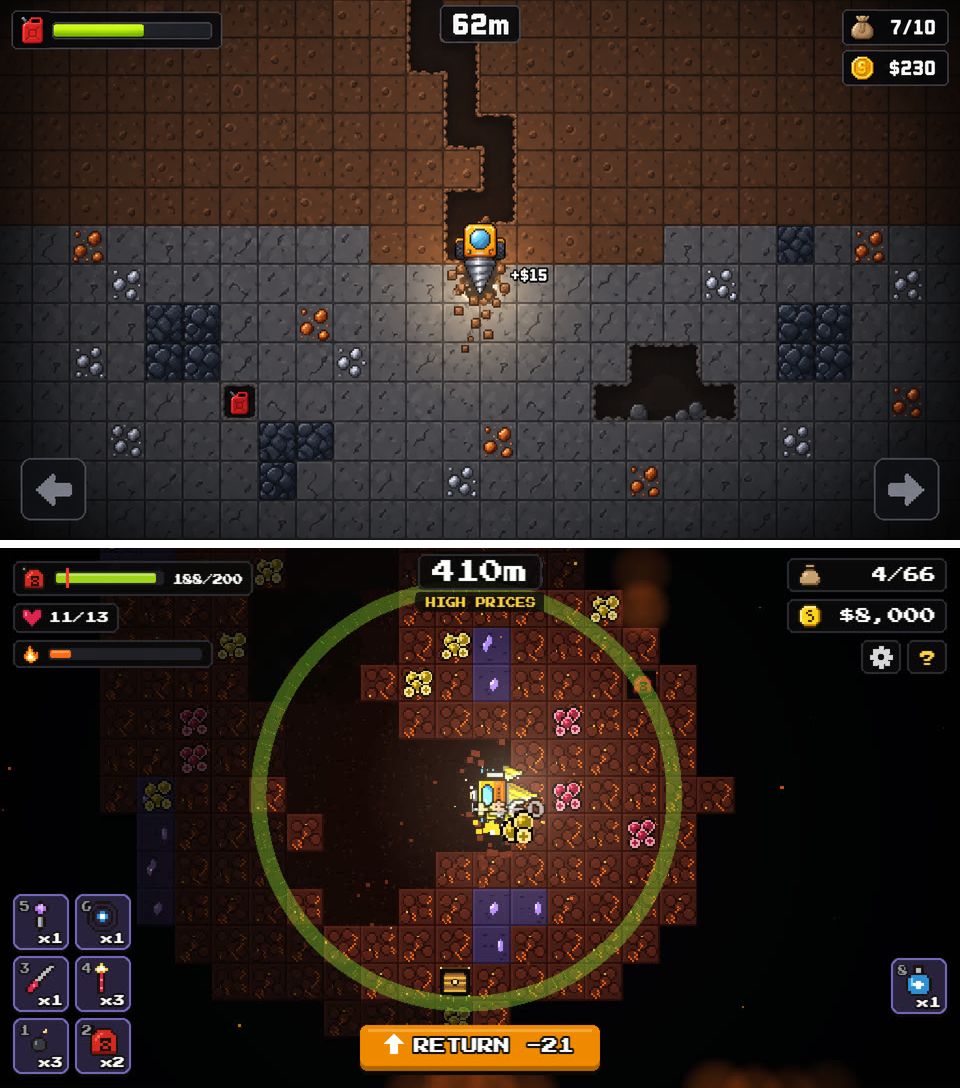
My notes from October 20, the first day it ran, say the tile grid, the dug tunnel, the drill vehicle, and where the numbers sit were almost the same as the picture. With a picture, you can point at what's different, so fixes go faster.
Some things in the picture still aren't in the game, though. Like the bright line along the tunnel edges. It quietly bugs me...
When rebuilding, redraw the picture too
I rebuilt how Dig It! plays twice. At first the drill moved down on its own, and it turned into a reflex game. Next I made it one move at a time, and the feedback was "there's no sense of achievement." The third version is the current one, where you dig only while holding a direction. The full story is in I Rebuilt My First Digging Game, Dig It!, Twice...
Each time, I redrew the picture before touching the code. Adding effects or the base on the surface also started with one picture. Dig It! ended up with 12 target images. On a phone held upright, the tiles looked bigger and easier to see in the picture, so I zoomed the camera in 1.4x to match it.
But a picture only decides how it looks. "No sense of achievement" isn't something you can see in a picture. It only came up after playing.
Tools, and putting it on my site
Dig It! is made with Phaser, a tool for 2D games that run in the browser.
When putting it on my site, the main thing to watch is where the image and sound files load from. The game lives under /games/dig-it/, so it's set to load files with relative paths (with Vite, base: './'). After that, I just copied the built folder to the site.
Phones were the hard part. At first you tapped near the drill to choose a direction, but my finger couldn't reach comfortably. I moved a direction pad to the bottom center of the screen. Imitating a phone screen in a desktop browser doesn't tell you how it feels to hold a finger down. I only noticed this by playing on a real phone.
For my next game, the fox dice game Kitsune Den, I added a step where I write an implementation brief. That process is in How I Make a Game with Claude Code. There are 14 games on this site now.